 Calybee
Coaching websites: 9 examples, the 8 sections that get you booked, and what it costs
A coaching website has one job: help the right person feel sure enough to book a call. Most coaching sites look lovely and still fail at it, because the offer is vague, the booking is two clicks away on another site, or the proof is buried. Below: nine examples, the eight sections that work, and what each way of building it costs.
The short answer
A good coaching website says who you help and with what in its first line, puts a free discovery call and your paid sessions on a calendar on the page itself, shows two or three testimonials early, and lists your prices. The quickest way to build one in 2026 is a builder with booking and payments built in, so you are not joining three tools together.
9 coaching website examples
Each of these is a Calybee design filled in for one kind of coach, shown exactly as the app builds it. The businesses, names, photos and words are samples, so you can see the layout and steal the ideas. Every one has the booking calendar built in.
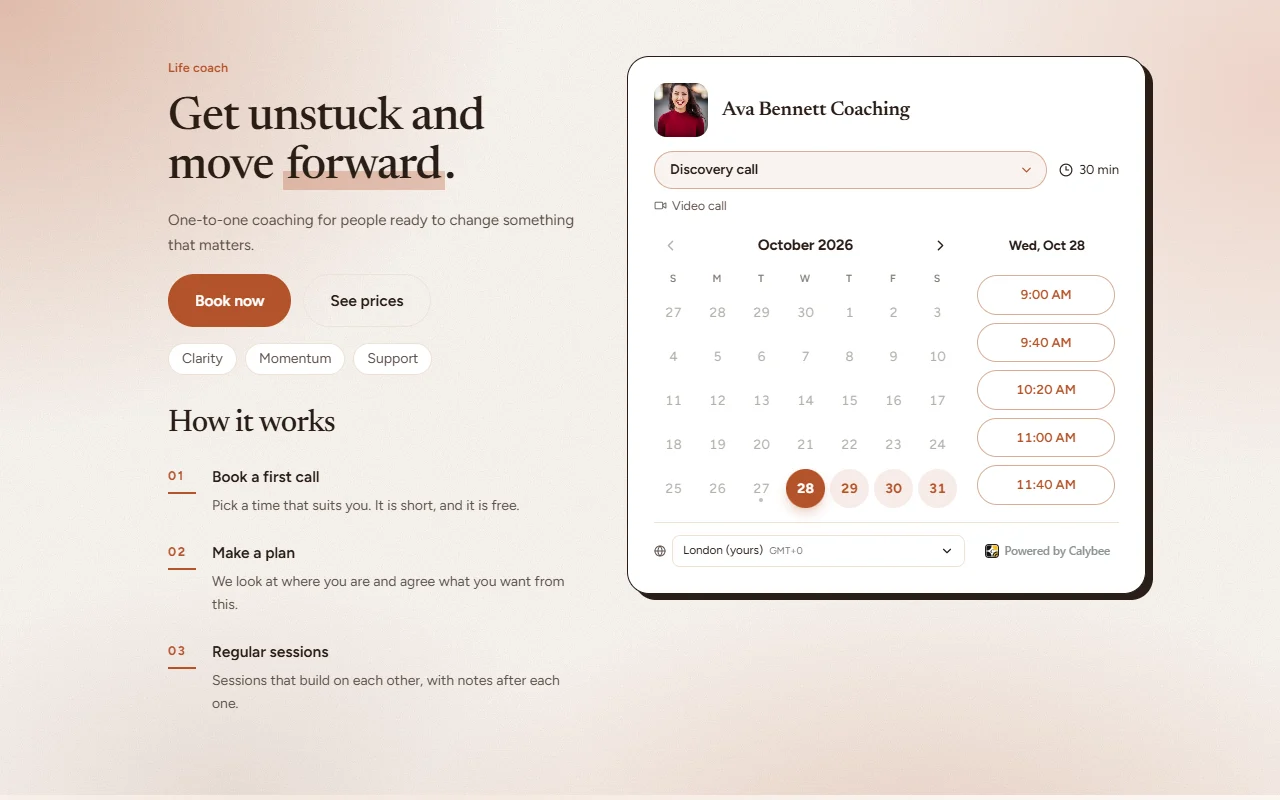
Life coach website
Calendar first: a free discovery call bookable on the first screen, with three steps beside it. Steal this: the headline names the change, not the job title.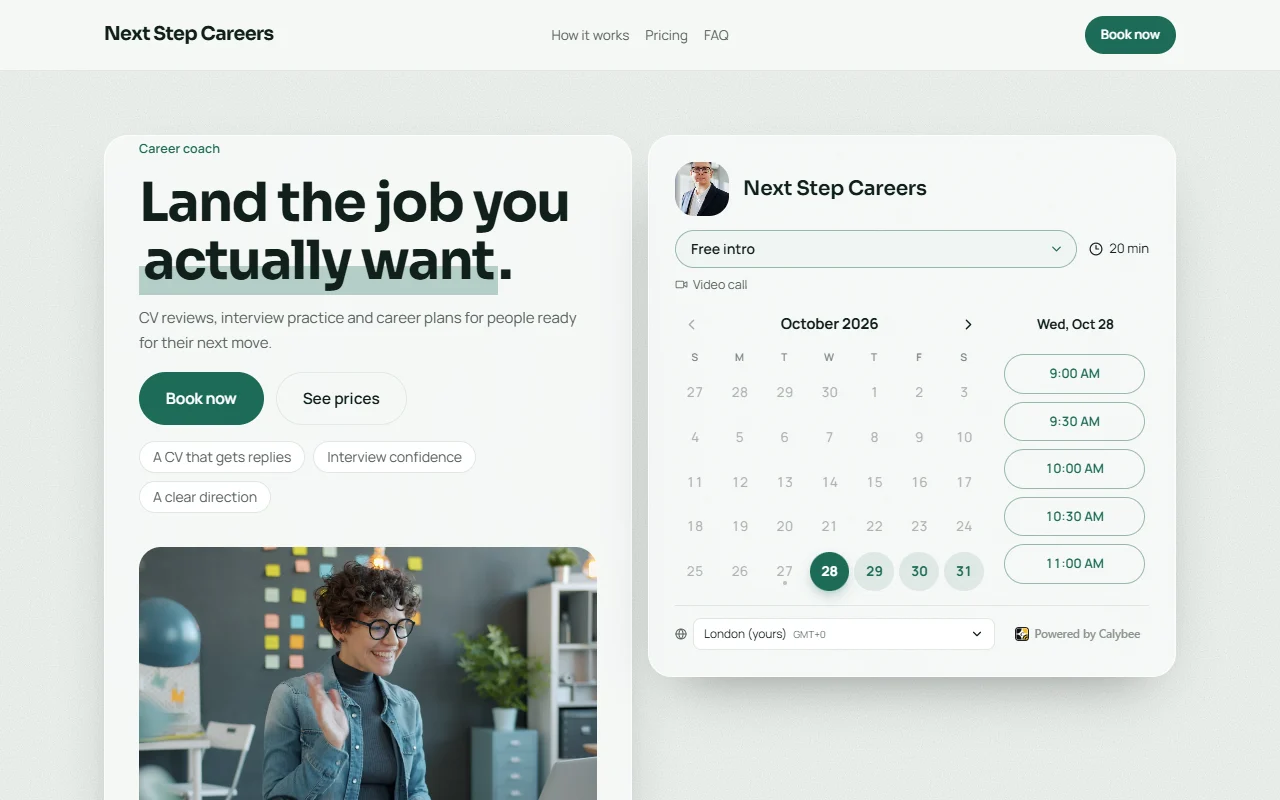
Career coach website
A specific promise ("land the job you actually want"), three outcomes as chips and a real working photo. Steal this: outcomes as short chips under the buttons.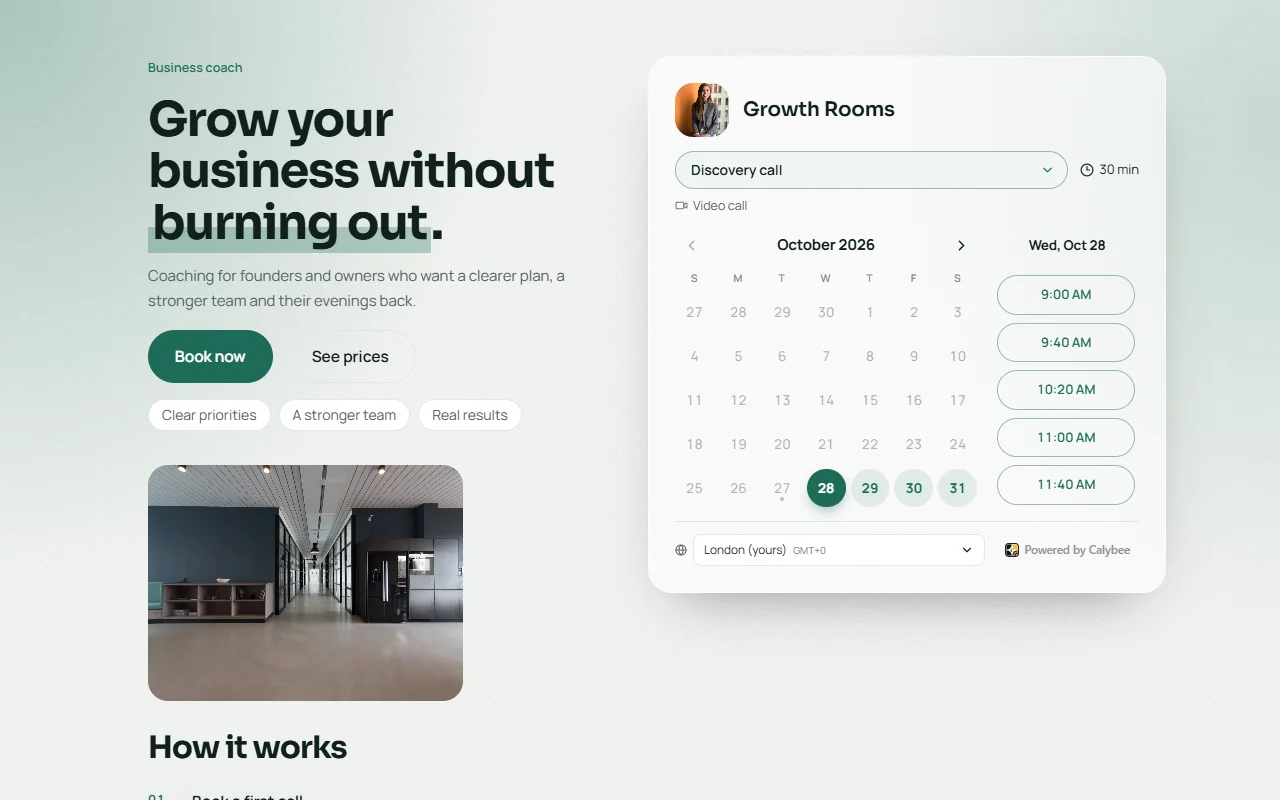
Business coach booking page
One page, one job: who it is for, the discovery call and the next free times. Steal this: start with a booking page and grow it into a site later.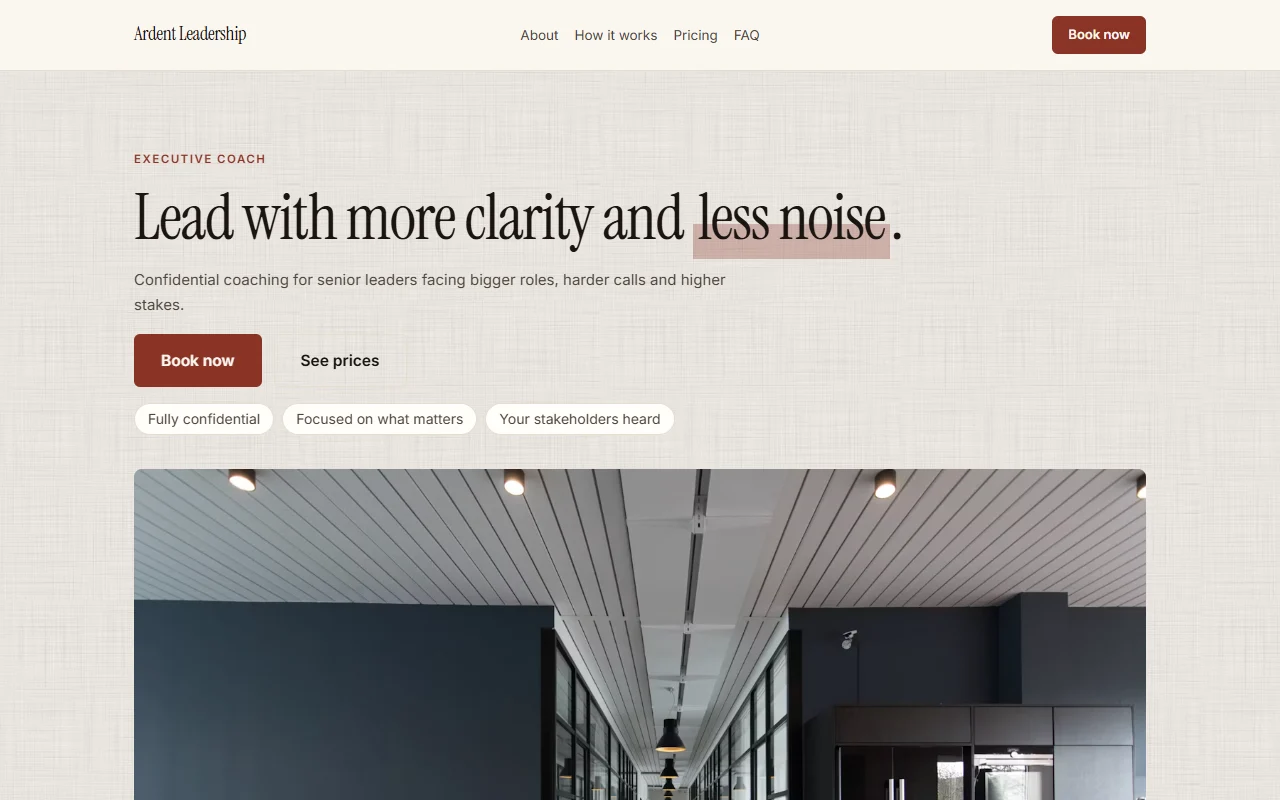
Executive coach website
Quiet and editorial, for senior clients who value discretion. Steal this: "fully confidential" said on the first screen.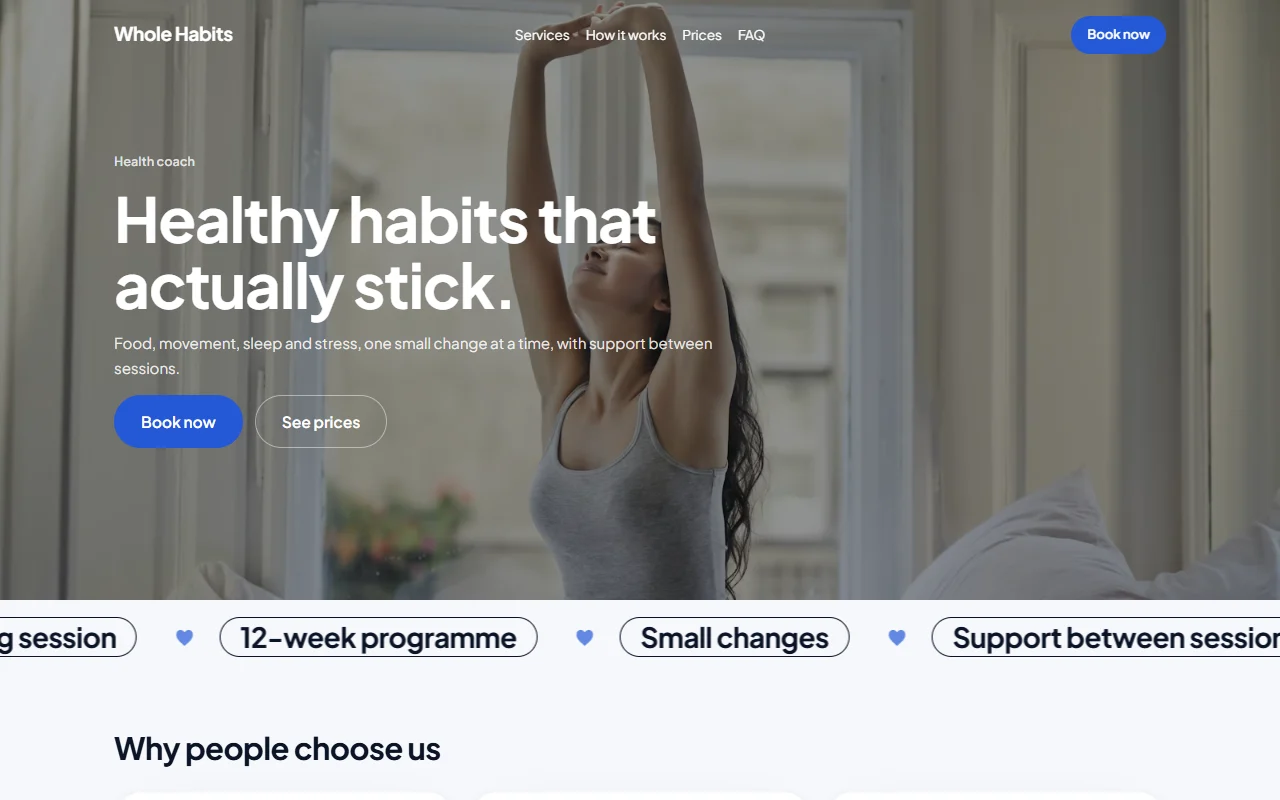
Health coach website
A full photo first screen and the programme in a moving band under it. Steal this: name what you cover (food, movement, sleep, stress) in one line.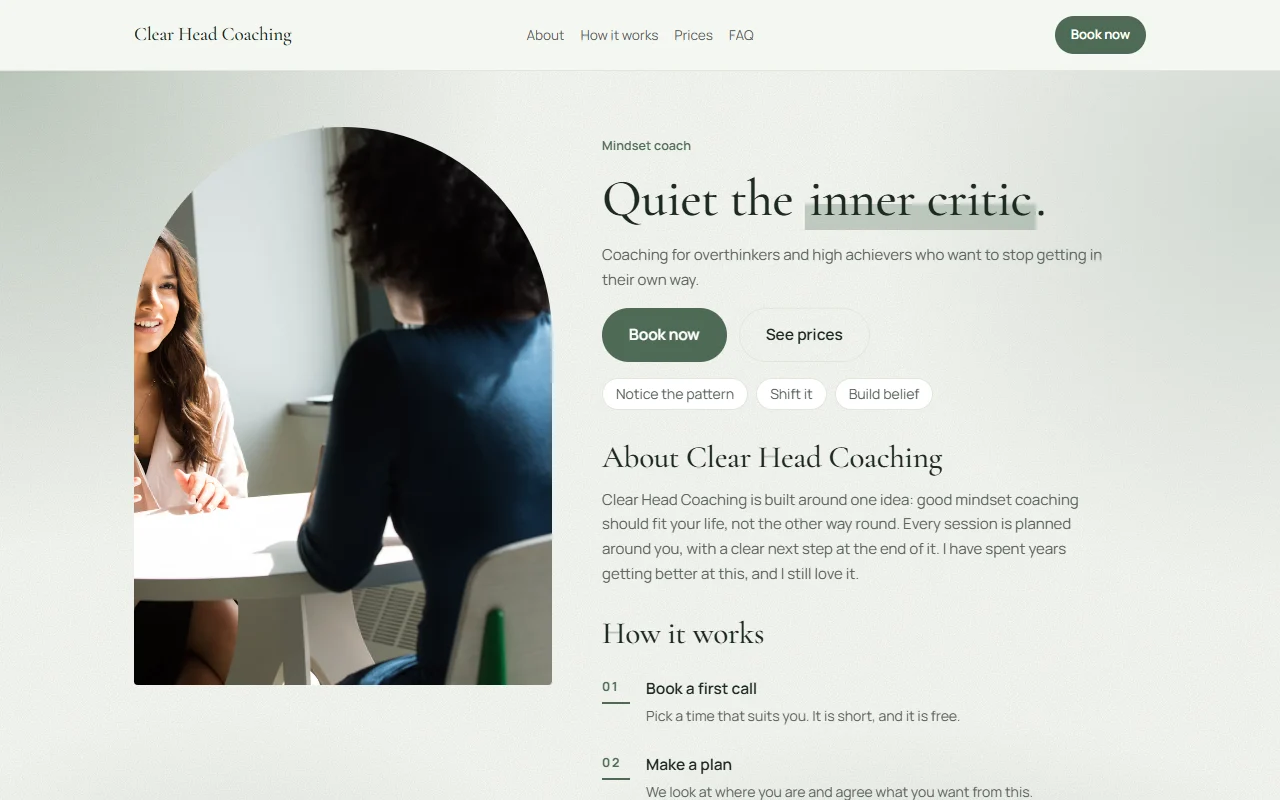
Mindset coach website
A calm arch photo and a headline that names the problem ("quiet the inner critic"). Steal this: the story sits right beside the first call to book.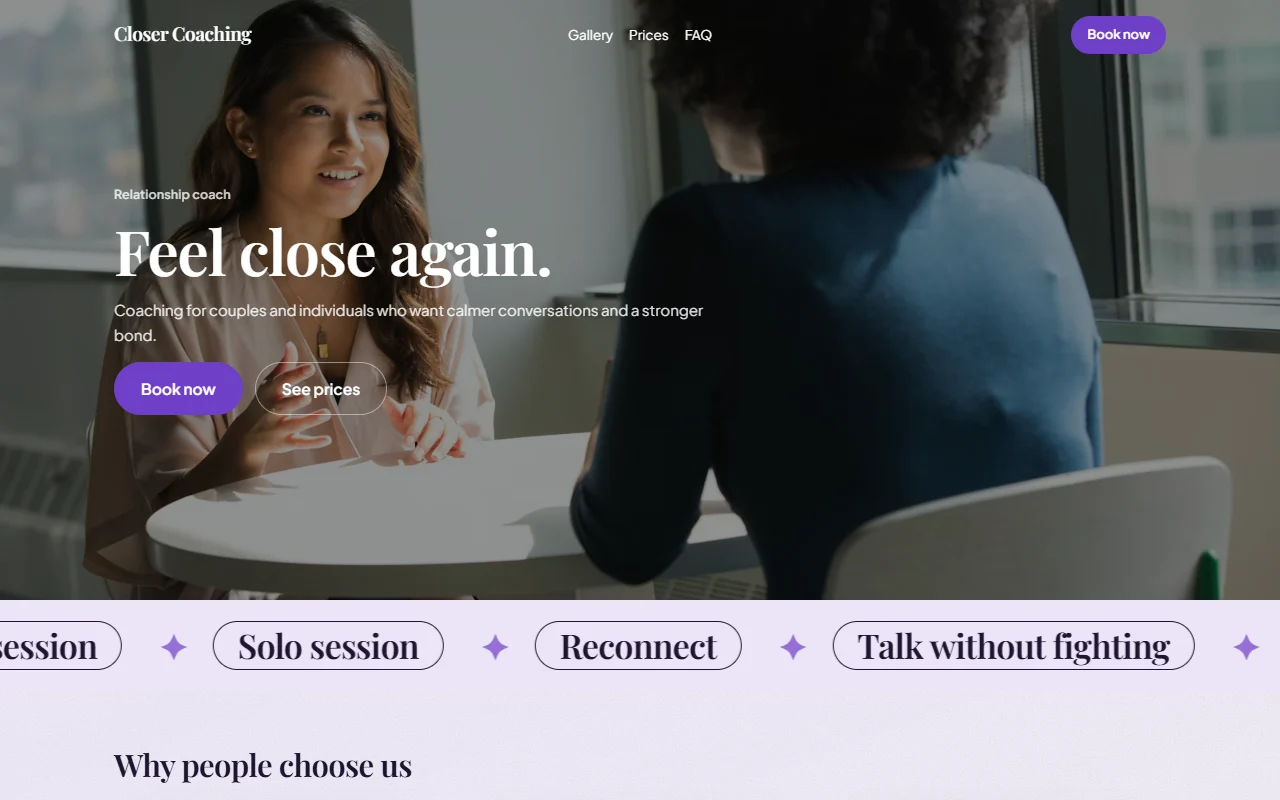
Relationship coach website
Warm and human: people first, then the offers (couples, solo, reconnect) moving across the page. Steal this: offers named in the client's words.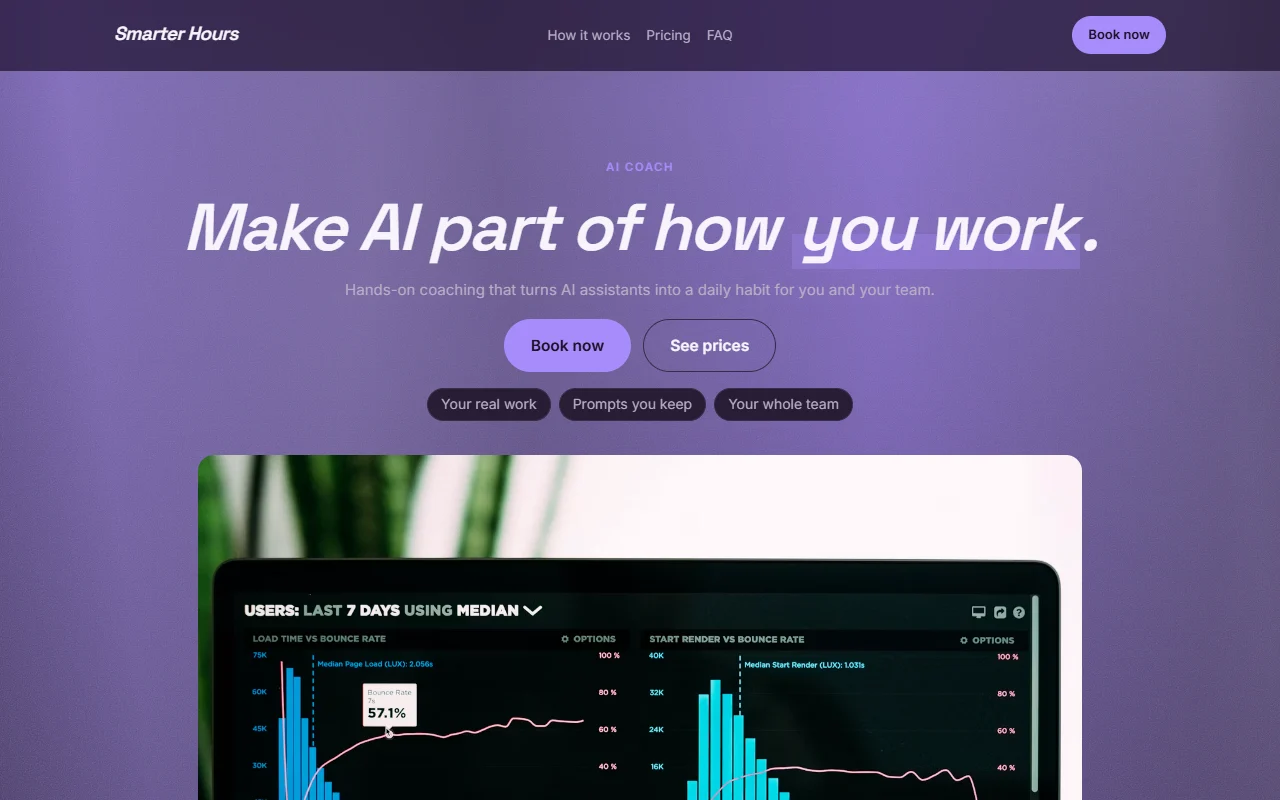
AI and tech coach website
A dark, modern look for technical audiences, outcomes as chips. Steal this: a look that matches who you coach, not who you are.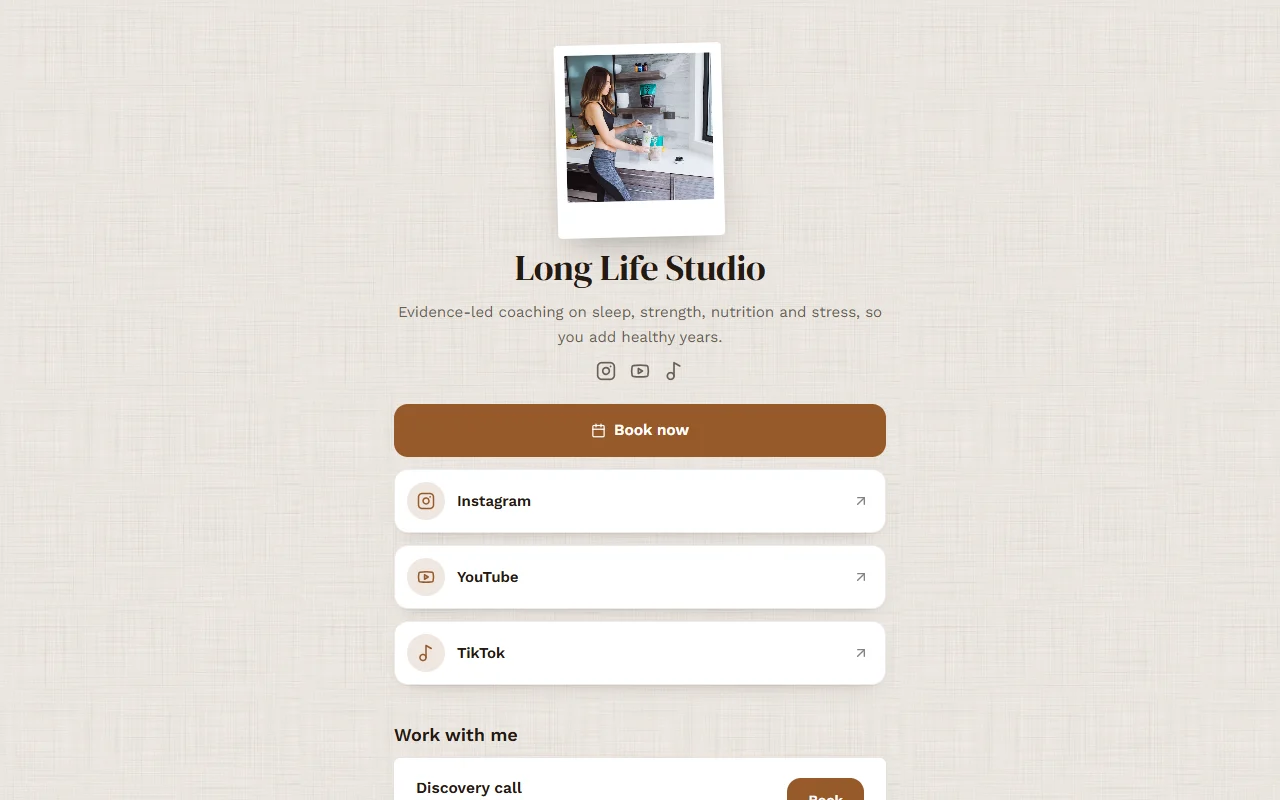
Wellness coach link in bio
A link in bio that books: one Book now button above the social links, the offers below. Steal this: if your clients find you on Instagram, this is your first website.
The eight sections every coaching website needs, in order
| Section | What it does | What to write |
|---|---|---|
| 1. Headline | Tells the right person they are in the right place | "I help [who] [get what] without [what they fear]." |
| 2. Book a call | Lets ready people act at once | A free 20 to 30 minute call, bookable on the first screen |
| 3. Proof | Turns interest into trust | Two or three short testimonials with first names and results |
| 4. How it works | Removes the fear of the unknown | Three steps: call, plan, sessions |
| 5. Offers and prices | Lets people choose | A single session, a pack of sessions, a monthly membership |
| 6. About you | Makes it personal | Why you do this, your training, a real photo |
| 7. Questions | Answers what stops people booking | Online or in person, how long, cancellations, refunds |
| 8. Book again | Catches people who scrolled to the end | The calendar, or the button, one more time |
Headlines that work
Specific beats clever. Compare:
- Vague: "Unlock your potential."
- Specific: "Career coaching for nurses moving into management."
- Specific: "Business coaching for salon owners who want their weekends back."
- Specific: "Confidence coaching for new parents going back to work."
If you coach more than one kind of person, pick the one you most want more of for the headline. The others will still read on.
Packaging your offers
Three offers side by side cover almost everyone:
- A free discovery call (20 to 30 minutes), for people who need to meet you first.
- A pack of sessions (for example six sessions, paid upfront at a small saving), for people ready to commit.
- A monthly membership (two sessions a month plus messages), for ongoing clients.
A single paid session is a useful fourth option for people who want one focused conversation.
Put the booking calendar on the page itself
Every extra click and every jump to another site loses people. When the calendar sits on your own page, in your colours, people pick a time while they still feel sure. Ask your intake questions in the same step (see our coaching intake form template), take payment for paid sessions at booking so no-shows cost less, and send a reminder the day before (copy our reminder email templates).
Best website builders for coaches, compared (2026)
What one coach pays a month for a website that takes bookings and payments, from each company's own pricing page on 27 October 2026, billed yearly (monthly billing in brackets).
| Option | Per month | What you get | Best for |
|---|---|---|---|
| Calybee (Solo Bee) | $19 ($24) | Website, booking page or link in bio, booking calendar, payments into your own Stripe or PayPal at 0% commission, packs and memberships, reminders, reviews. Built for you by AI, then edited by asking. | Coaches who want it all in one place, quickly |
| Wix Core | $29 ($36) | A website builder with Wix Bookings. Core is the first Wix plan that accepts payments; Light ($17) does not. | Coaches who want to design every page themselves |
| Squarespace + Acuity | $35 to $56 | Squarespace Basic ($19, 2% fee on sales) or Core ($29), plus Acuity Starter ($16) or Standard ($27, needed for packages and memberships). Two subscriptions. | Design-led brands that do not mind two tools |
| Paperbell | $47.50 ($57) | Packages, contracts with e-signature, payment plans and a client portal, with a simple coaching page. Your own domain is $5 a month more. Paperbell says itself that it is not a full marketing website builder. | Long coaching programmes with contracts |
The usual alternative is a stack: a website builder, a scheduler, a review widget and an email tool, about $60 to $80 a month together by our count of their published plans, with four logins and four bills. See how the schedulers compare in our Calendly alternatives guide.
Mistakes that cost coaches bookings
- A homepage about you instead of about the client's problem.
- "Contact me" instead of a calendar. A form means waiting; a calendar means booking.
- No prices anywhere, so every call starts with an awkward money conversation.
- Stock photos of strangers. A real photo of you, even from a phone, does better.
- Testimonials hidden on their own page. Put them where the doubt happens. Here is how to ask clients for reviews.
Build your coaching website with Calybee
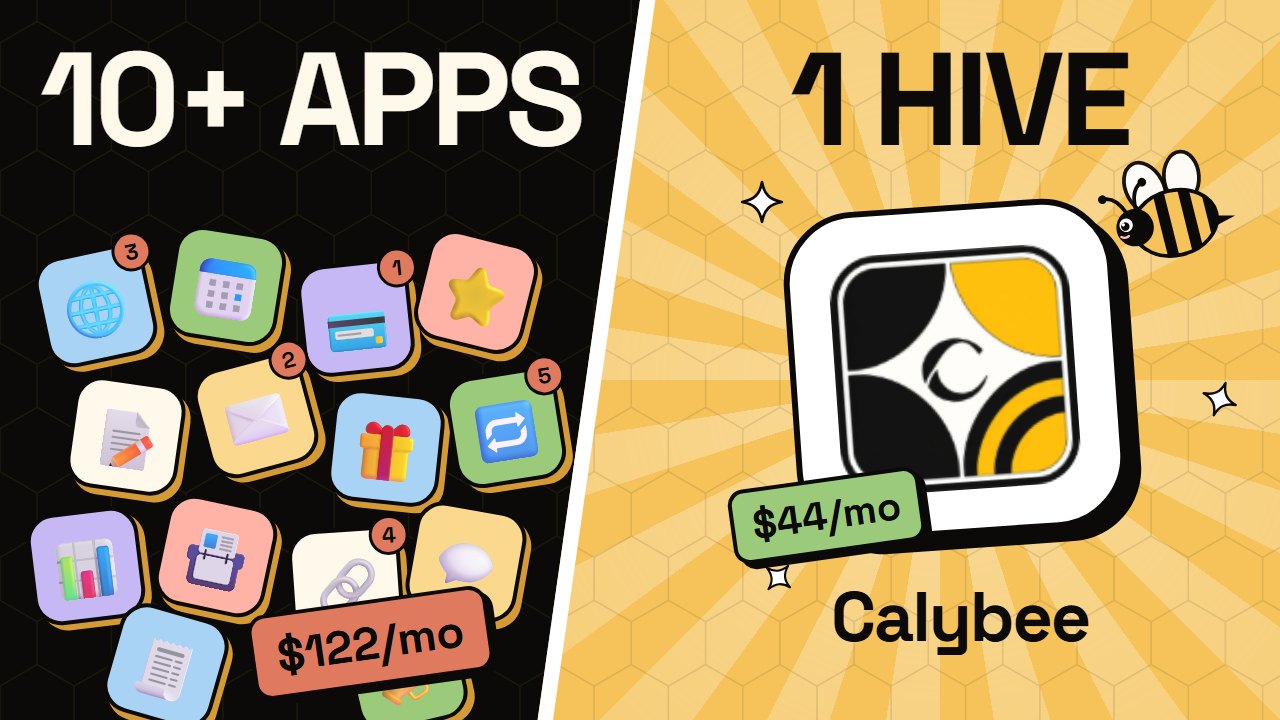
Calybee was built for exactly this page. It has designs filled in for 36 kinds of coach and 19 kinds of consultant, from life and career coaches to executive, health and AI coaches. Tell the Bee, Calybee's AI, who you coach and what you offer, or paste your old site or your LinkedIn summary, and it drafts the whole site in a few minutes. Then change anything by asking: the Bee makes the change and shows it to you right in the chat, and every change is one click to undo.
 Watch: Calybee in 2 minutes
- A free discovery call, single sessions, packs and memberships side by side, paid into your own Stripe or PayPal, 0% commission
- Google Meet links on online sessions and two-way Google Calendar sync, with times shown in each client's own time zone
- Testimonials imported from LinkedIn, Google and more, and a review request after every session
- A booking page, a link in bio or a full site with About, blog and policy pages, on your own domain, in 12 languages
Solo Bee is $19 a month billed yearly ($24 monthly). Build everything first; your 7 free days start when you go live.
Already have a site you like? Calybee's booking calendar and reviews drop into WordPress, Wix, Squarespace or any site instead, in that site's own colours.
Questions people ask
What should a coaching website include?
A headline that says who you help and with what, a way to book a free call or a paid session on the page itself, two or three testimonials near the top, your offers with prices, three steps that explain how coaching with you works, a short story about you with a real photo, answers to common questions, and your policies. That is enough for a first version.
What should a life coach website include?
The same eight sections, with extra care on the first line: "life coach" is not an offer. Name the person and the change (for example "coaching for new managers who feel out of their depth"), put a free discovery call on the first screen, and show results in your clients' own words.
How much does a coaching website cost?
For one coach taking bookings and payments, by the published yearly prices on 27 October 2026: Wix Core is $29 a month, Squarespace Basic with Acuity Starter is $35 a month ($46 with Acuity Standard for packages), Paperbell is $47.50 a month, and Calybee is $19 a month (Solo Bee), with the website, booking, payments, reminders and reviews included.
Can I make a coaching website for free?
You can build one for free, but you cannot take bookings and payments on a free plan of the common builders: on Wix, payments need the Core plan. On Calybee you build everything first, free, and your 7 free days start when you go live.
What is the best website builder for coaches?
It depends on what you sell. If you sell sessions, packs and memberships and want the website, booking and payments in one place, built for you by AI, choose Calybee. If you want to design every pixel yourself and do not mind adding booking, choose Wix or Squarespace. If your coaching is long programmes with contracts and payment plans, look at Paperbell.
Do coaches need a website or just a booking link?
A booking link is enough when people already trust you, say from a referral. A website does the convincing for people who do not know you yet: your story, your results and your offers. On Calybee the booking calendar sits on the site, so you get both in one.
Should I show my prices on my coaching website?
Showing at least a starting price filters out people who cannot afford you and makes the free call warmer. Coaches who sell custom programmes often show a single session price and say programmes are tailored.
Try Calybee on your own business
Tell the Bee what you sell and it builds your website, booking calendar and payments in a few minutes. Build everything first; your 7 free days start when you go live. From 19 a month, and Calybee takes 0% of your bookings.
Start 7 days free See pricingWe make Calybee, so read this with that in mind. Prices and plans of other products are taken from their own pricing pages on 27 October 2026 and change often; check them before you decide. Product names belong to their owners and are used here only to compare.