 Calybee
How to add online booking to the website you already have
You do not need a new website to take bookings online. You need a booking calendar on the website you already have, a button that opens it from every page, and ideally your reviews beside it. Here is how to add them in a few minutes, whatever your website is built with.
The short answer
- Set up your services, prices and hours in a booking tool that offers embeds (Calybee does it for you from one sentence).
- Copy the embed code for the booking calendar.
- In your website builder, add an HTML, Embed or Code block where you want it and paste the code.
- Publish, then make a test booking on your phone.
What you can add to your website
A calendar is the start. These are the parts Calybee can put on your existing site, each kept up to date by itself:
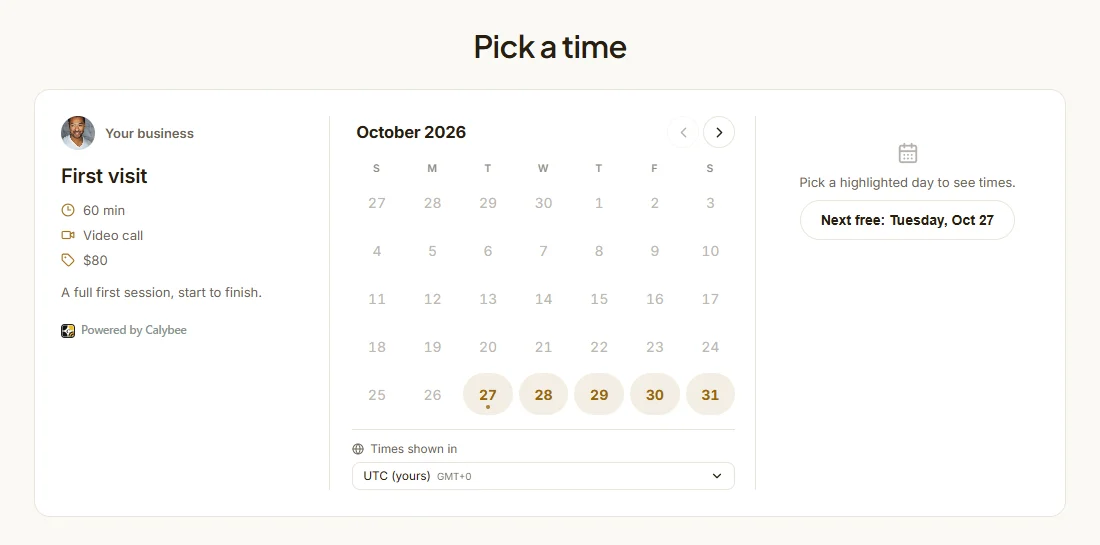
Booking calendarClients pick a service and a time, answer your questions and pay, without leaving your page. 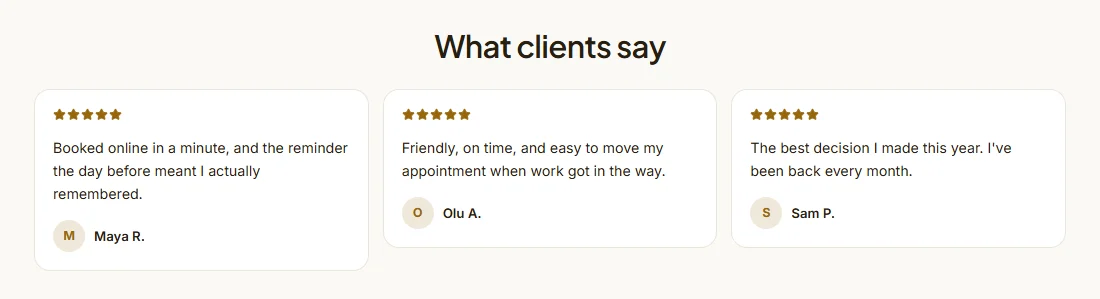
ReviewsYour best reviews from Google, Trustpilot and 30+ other places, plus the ones clients leave after a session. 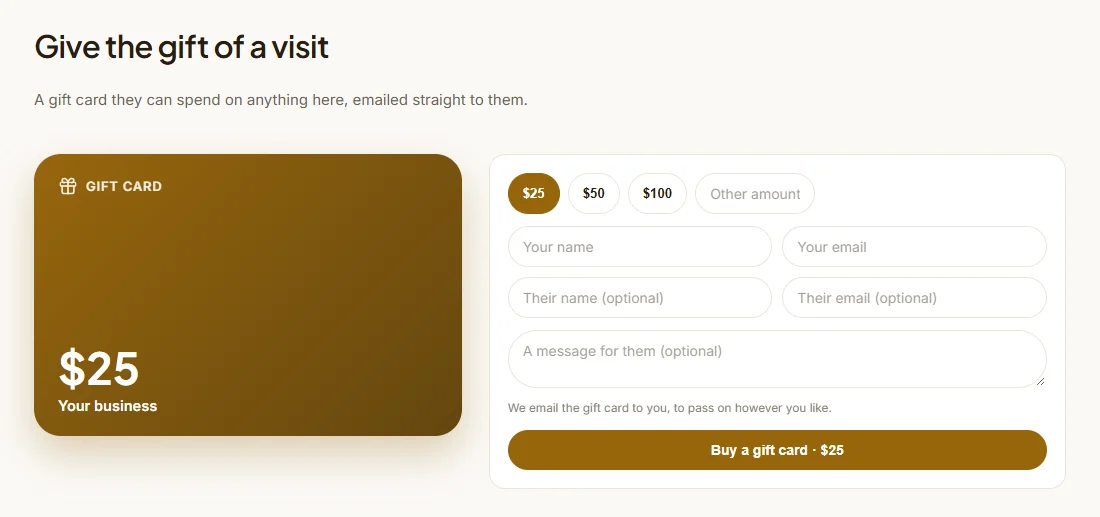
Gift cardsSold on your site, emailed to the buyer, spent on any booking.
Also: a Book button that opens the calendar over any page, forms, a newsletter sign-up (in the page or as a pop-up), a service quiz that sends people to the right service, locations with maps, a contact band, your blog posts and policies, a WhatsApp or chat button on every page, and even whole pages. They take your website's colours and fonts.
Where to paste the code, by website builder
| Builder | Steps |
|---|---|
| WordPress | Install the Calybee plugin and add the Calybee block, or edit the page, click +, add a Custom HTML block, paste the code and click Update. On WordPress.com this needs a plan that allows plugins. |
| Wix | In the Editor, click Add Elements (+), then Embed Code, then Embed HTML. Click Enter Code, paste, Update. Drag the box taller (700 to 900 pixels for a calendar), then Publish. |
| Squarespace | Edit the page, click Add Block and choose Code. Paste with the mode on HTML and Display Source off, then Save. Code blocks depend on your Squarespace plan. |
| Shopify | Online Store, Themes, Customize. Open the page, Add section, choose Custom Liquid, paste, Save. |
| Webflow | In the Designer, drag a Code Embed element onto the page, paste, Save & Close, Publish. Runs on a paid site plan. |
| Framer | Insert, Embed, set the type to HTML, paste and size the frame. |
| Google Sites | Insert, Embed, the Embed code tab, paste, Next, Insert. Make the box tall enough for the calendar. |
| GoDaddy | Edit Website, Add Section, search for HTML, paste into Custom Code, Done, Publish. |
| Carrd | + then Embed, Type set to Code, style Inline, paste (Pro plans). |
| Anything else | Look for a block called HTML, Embed, Code or Custom code, paste the code there and publish. If the widget looks cut off, make the block taller. |
In builders that draw embeds inside a fixed box (Wix, Google Sites), put the calendar in the page itself rather than behind a button, and link your own button to your booking page instead.
Before you go live
- Book yourself on your phone. Most clients book on a phone, often from Instagram.
- Check the time zone. Times should show in the client's own zone, with yours named.
- Connect your calendar so busy times in Google Calendar cannot be booked.
- Turn on a reminder the day before; copy one of our reminder email templates.
- Write a cancellation policy before the first booking; start from our cancellation policy template.
Or skip the website: a booking page or link in bio
If your website is hard to change, or you mostly get clients from Instagram, a booking page or a link in bio may be all you need: one address with your offer, reviews and calendar, on calybee.com or your own domain. Calybee makes either from one sentence, and you can still embed parts of it on your old site later. See nine coaching website examples, or how Calybee compares in Calybee vs Zeeg vs Lunacal.
Doing it with Calybee
Tell the Bee, Calybee's AI, what you sell, or paste your current website, and it sets up your services, prices and hours. Then open Widgets (under Website), pick the widget, press Embed on your website, copy the code and follow the steps shown for your website builder. Or ask the Bee for "embed code for my website" and it hands you the code with the steps in the chat. Solo Bee is $19 a month billed yearly, with 7 days free once you go live, and Calybee takes 0% of your bookings.
Questions people ask
How do I add a booking calendar to my website?
Copy the embed code from your booking tool and paste it into an HTML, Embed or Code block on your page (Custom HTML in WordPress, Embed HTML in Wix, a Code block in Squarespace), then publish. In Calybee, open Widgets (under Website), pick the widget and press Embed on your website: the code and the steps for your website builder are shown together.
Can I add booking to my website without changing my website?
Yes. An embed sits inside your existing page like a video does. Your site stays where it is; only the calendar, reviews or button come from Calybee, and they update by themselves when your times, prices or reviews change.
Is there a WordPress booking plugin?
Calybee has one. Install it, enter your Calybee address in its settings, and add the Calybee widget block or the [calybee_booking] shortcode where you want the calendar. It can also add the WhatsApp button and the newsletter pop-up to every page.
Will the booking widget match my website's colours?
Calybee's widgets take your website's colours and fonts, so the calendar looks like part of your page rather than a different site in a box.
Can clients pay when they book through the widget?
Yes. Payments go into your own Stripe or PayPal account at 0% commission from Calybee. Without a payment provider connected, you can still take bookings that are paid at the visit.
Can I show my Google reviews on my website?
Yes. Import them into Calybee by pasting your Google share link (Trustpilot, Facebook and 30+ other places work too), approve the ones you want, and embed the reviews widget. New reviews your clients leave through Calybee join it by themselves.
Try Calybee on your own business
Tell the Bee what you sell and it builds your website, booking calendar and payments in a few minutes. Build everything first; your 7 free days start when you go live. From 19 a month, and Calybee takes 0% of your bookings.
Start 7 days free See pricingWe make Calybee, so read this with that in mind. Prices and plans of other products are taken from their own pricing pages on 27 October 2026 and change often; check them before you decide. Product names belong to their owners and are used here only to compare.